Scale Worker Nodes
In a Kubernetes cluster, worker nodes are responsible for running workloads (Pods, Deployments, StatefulSets, DaemonSets, etc.).
If your applications require more capacity, you can scale up by adding worker nodes.
If workloads decrease, you can scale down to reduce costs.
In Vietnix Cloud, scaling worker nodes means changing the number of VM instances assigned as workers.
Requirements
- A Kubernetes cluster has been created in Vietnix Cloud.
- The cluster is in a Ready state.
- You can access the Vietnix Cloud Dashboard.
- Your Vietnix Cloud project still has enough resources (CPU, RAM, disk quota) to add new nodes.
Scale Worker Nodes
-
Open the Vietnix Cloud Dashboard.
-
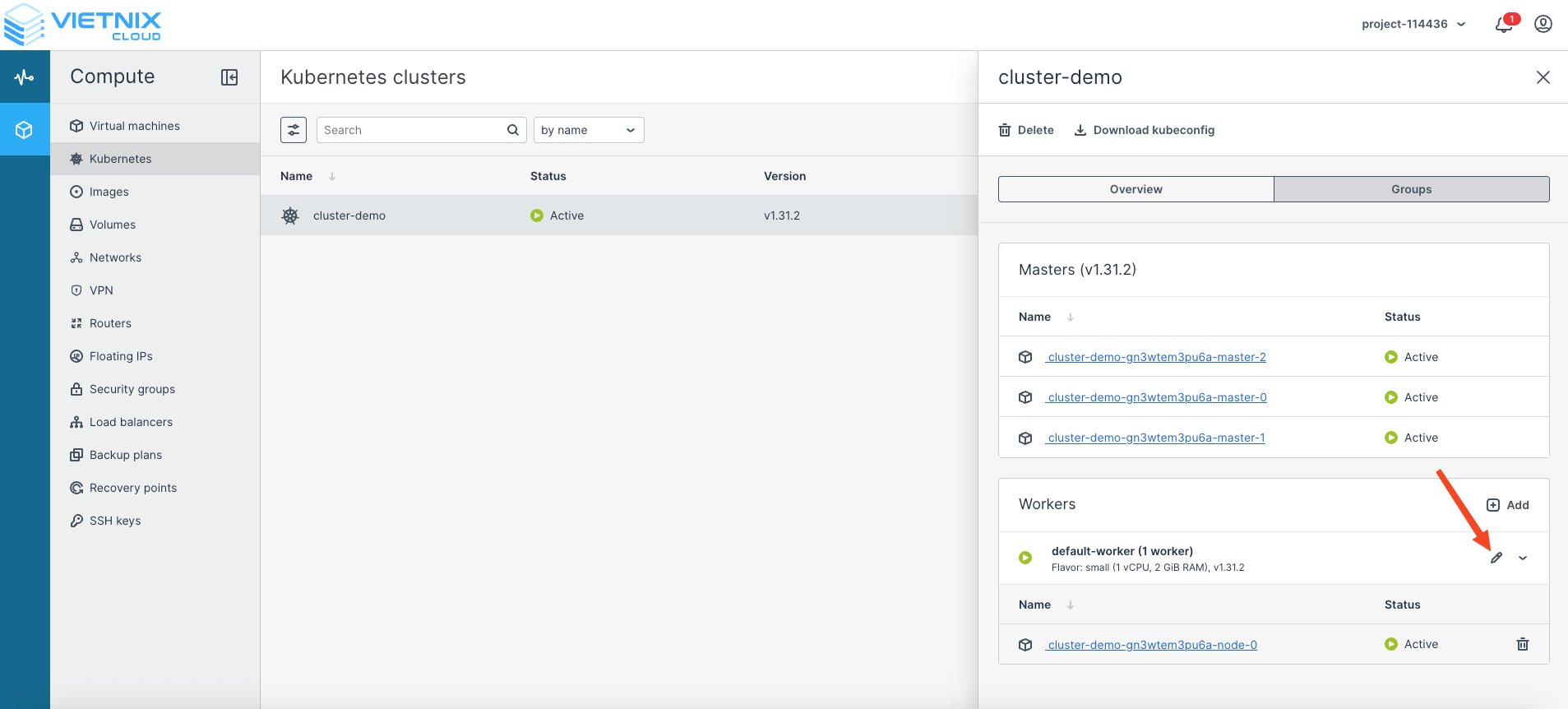
Navigate to Kubernetes → select your cluster.
-
Locate the Number of Worker Nodes setting.
-
Adjust the number:
- Increase the number to scale up (add workers).
- Decrease the number to scale down (remove workers).
- Enable or disable Autoscaling.
- Click Save to apply the changes.
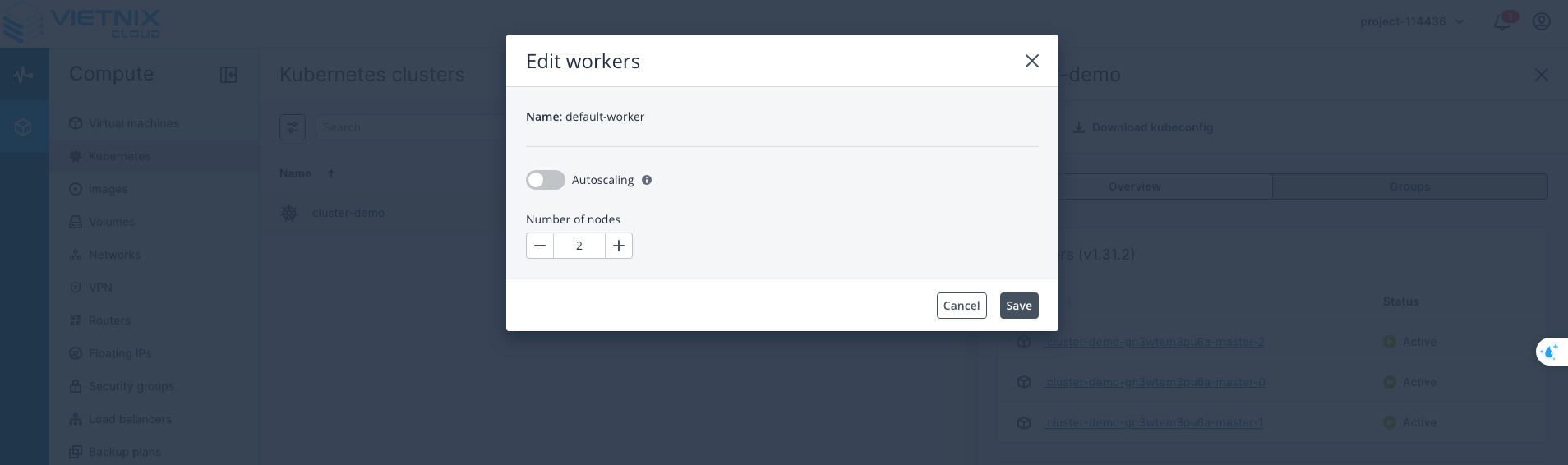
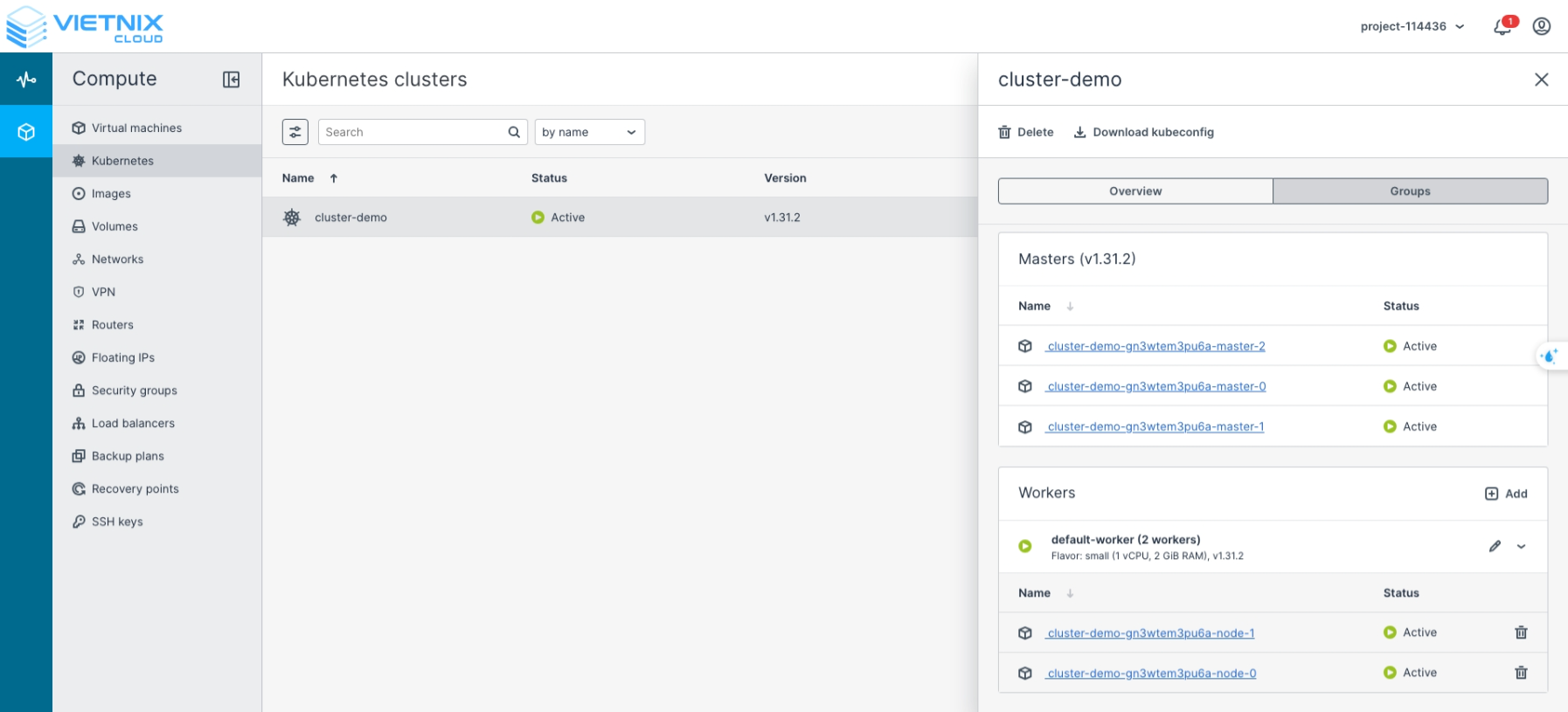
📌 Vietnix Cloud will automatically provision or remove worker node VMs according to your configuration.
-
Confirm the changes via the dashboard interface.
-
Verify Scaling with kubectl
After scaling, verify that the new worker nodes are registered in the cluster:
kubectl get nodes
NAME                                 STATUS   ROLES    AGE     VERSION
cluster-demo-gn3wtem3pu6a-master-0   Ready    master   3h26m   v1.31.2
cluster-demo-gn3wtem3pu6a-master-1   Ready    master   3h26m   v1.31.2
cluster-demo-gn3wtem3pu6a-master-2   Ready    master   3h26m   v1.31.2
cluster-demo-gn3wtem3pu6a-node-0     Ready    <none>   3h25m   v1.31.2
cluster-demo-gn3wtem3pu6a-node-1     Ready    <none>   8m37s   v1.31.2