Cluster Components
After you have successfully created a Kubernetes cluster in Vietnix Cloud, you can view detailed information about its nodes and the infrastructure resources automatically provisioned.
View Cluster Information
-
Select the newly created cluster to view detailed information about its nodes.
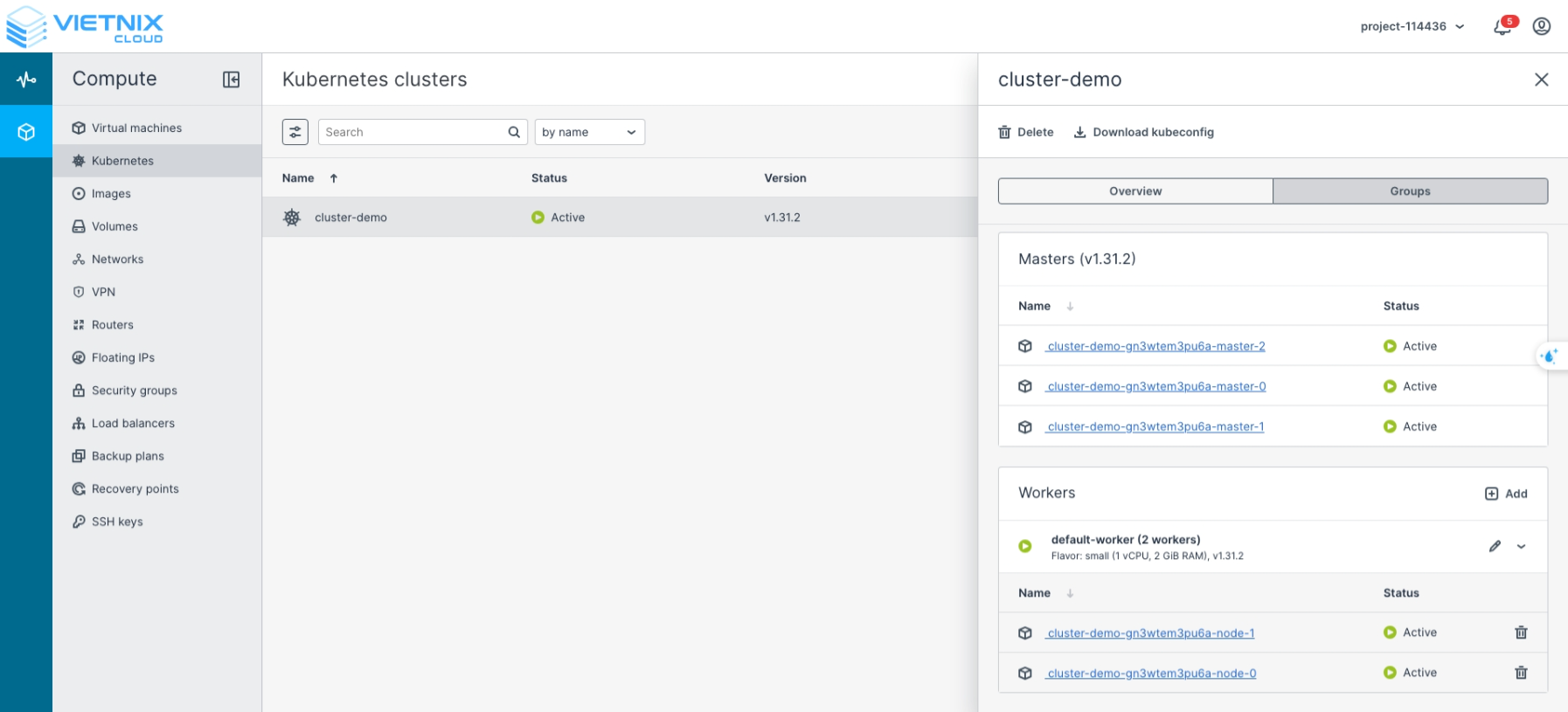
Explanation of Cluster Components
When a Kubernetes cluster is deployed, the following components are created:
1. Virtual Machines
-
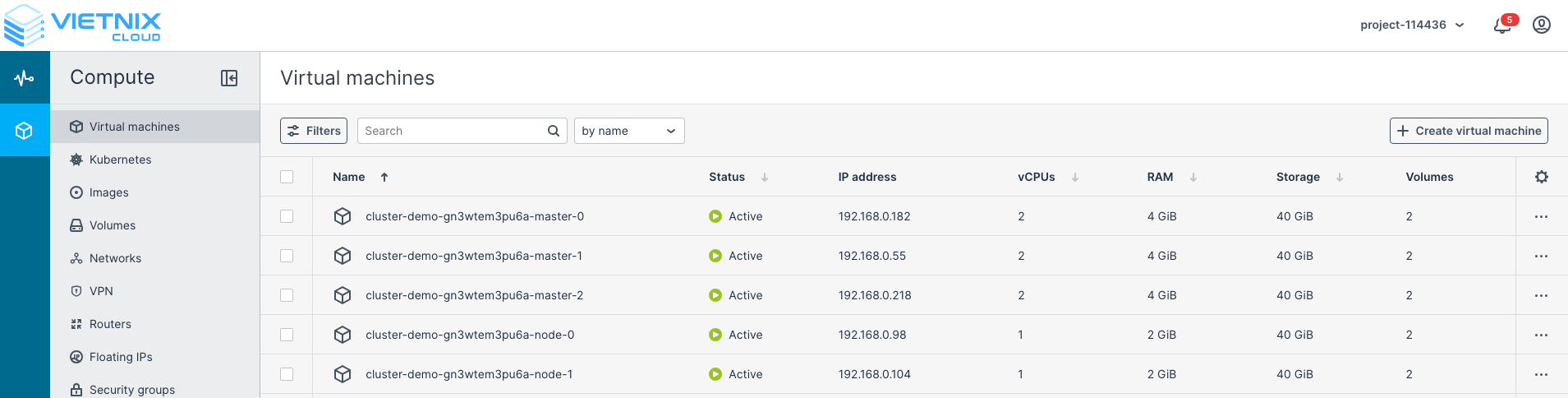
A number of VMs equal to the master and worker nodes configured will be provisioned.
-
Each VM includes two volumes:
- System volume: 20 GB (default for each Kubernetes node).
- Container volume: the size you defined during cluster creation.
-
Example: if you created 3 masters and 2 workers, you will have 5 VMs in total.
2. Volumes
-
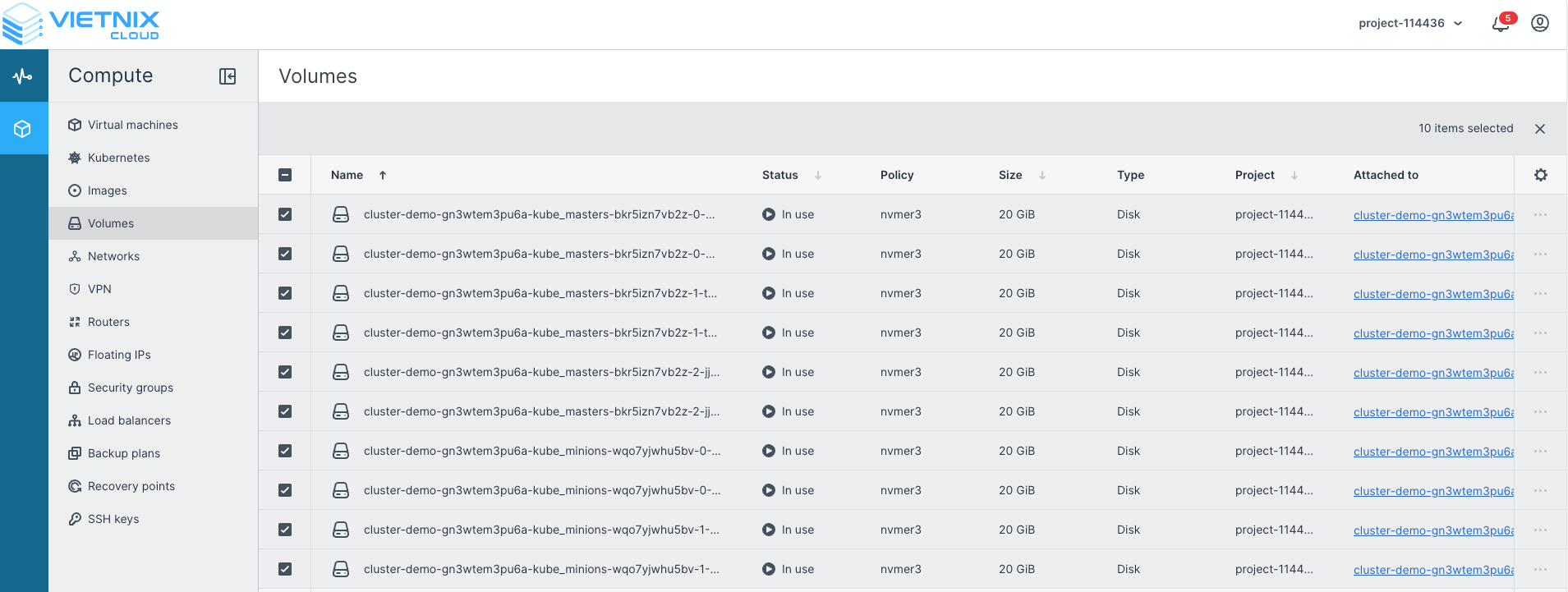
Displays all volumes, including the System Volume and Container Volume of each node.
3. Floating IPs
-
If you selected For Kubernetes API and Nodes during cluster creation, floating IPs will be assigned to the load balancer, masters, and workers.
-
If you selected For Kubernetes API only, floating IPs will be assigned only to the load balancer and masters.
-
These IPs can also be used for SSH access with the
coreuser for debugging, though this is rarely required.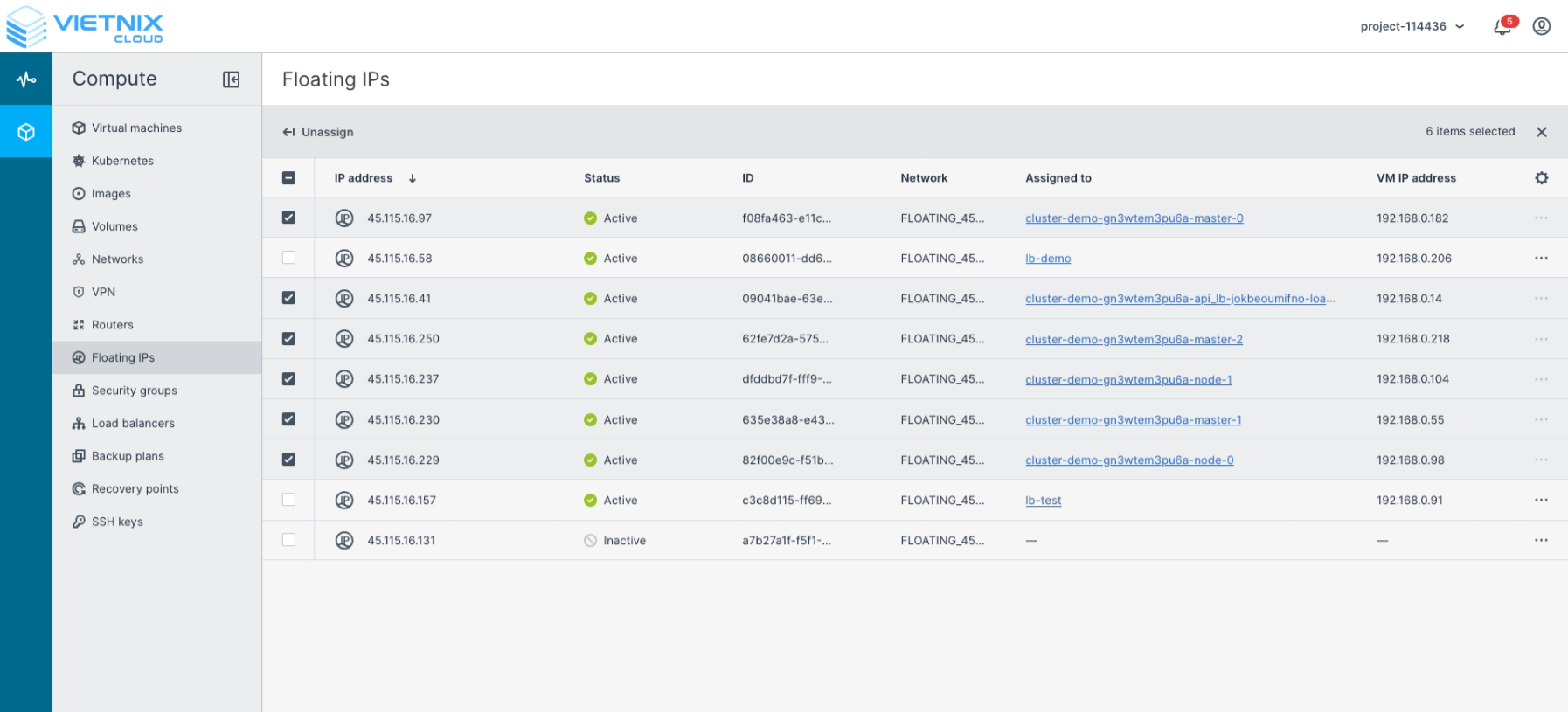
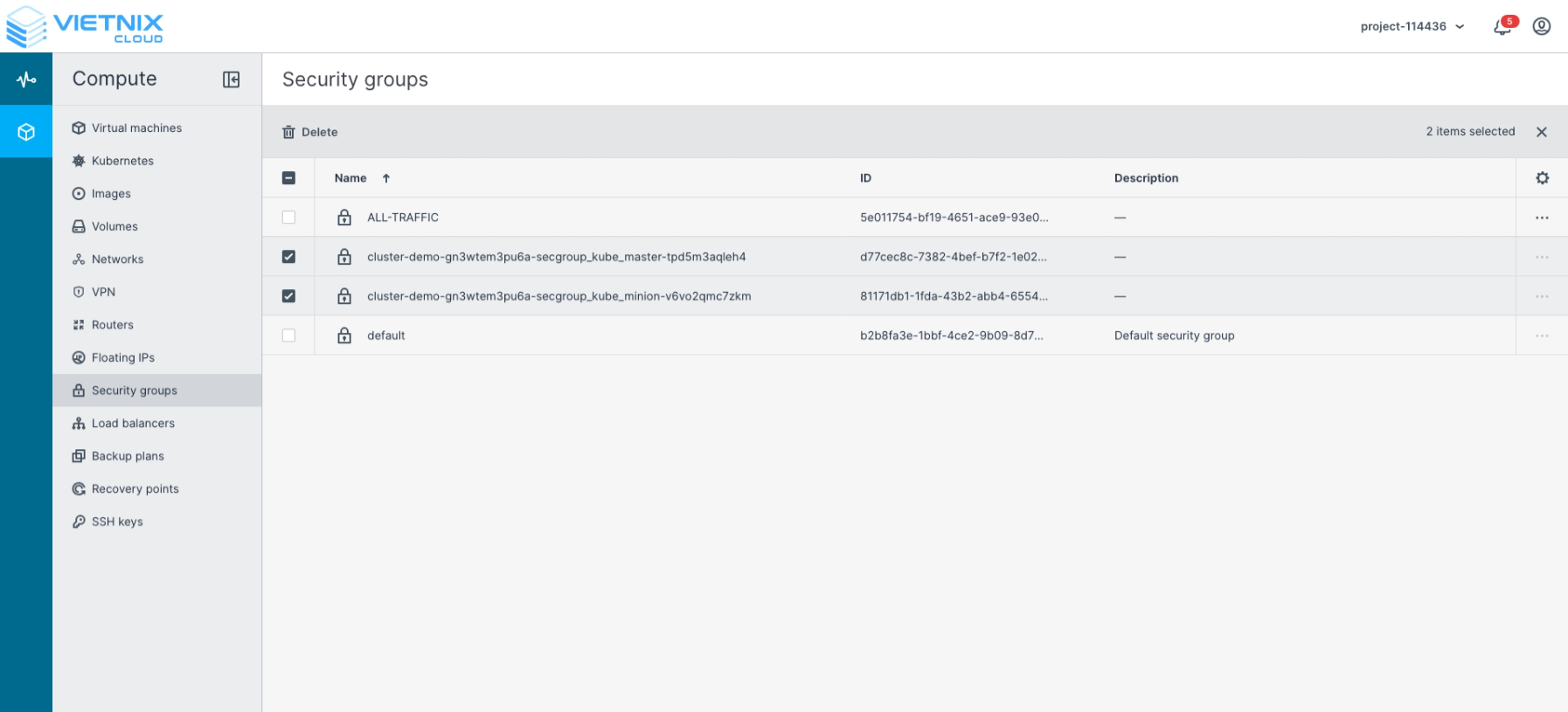
4. Security Groups
-
Security groups are automatically created for master and worker VMs.
-
Default inbound and outbound rules are preconfigured for secure access.
-
Typically, you do not need to make changes to these rules unless you require custom access policies.
5. Load Balancers
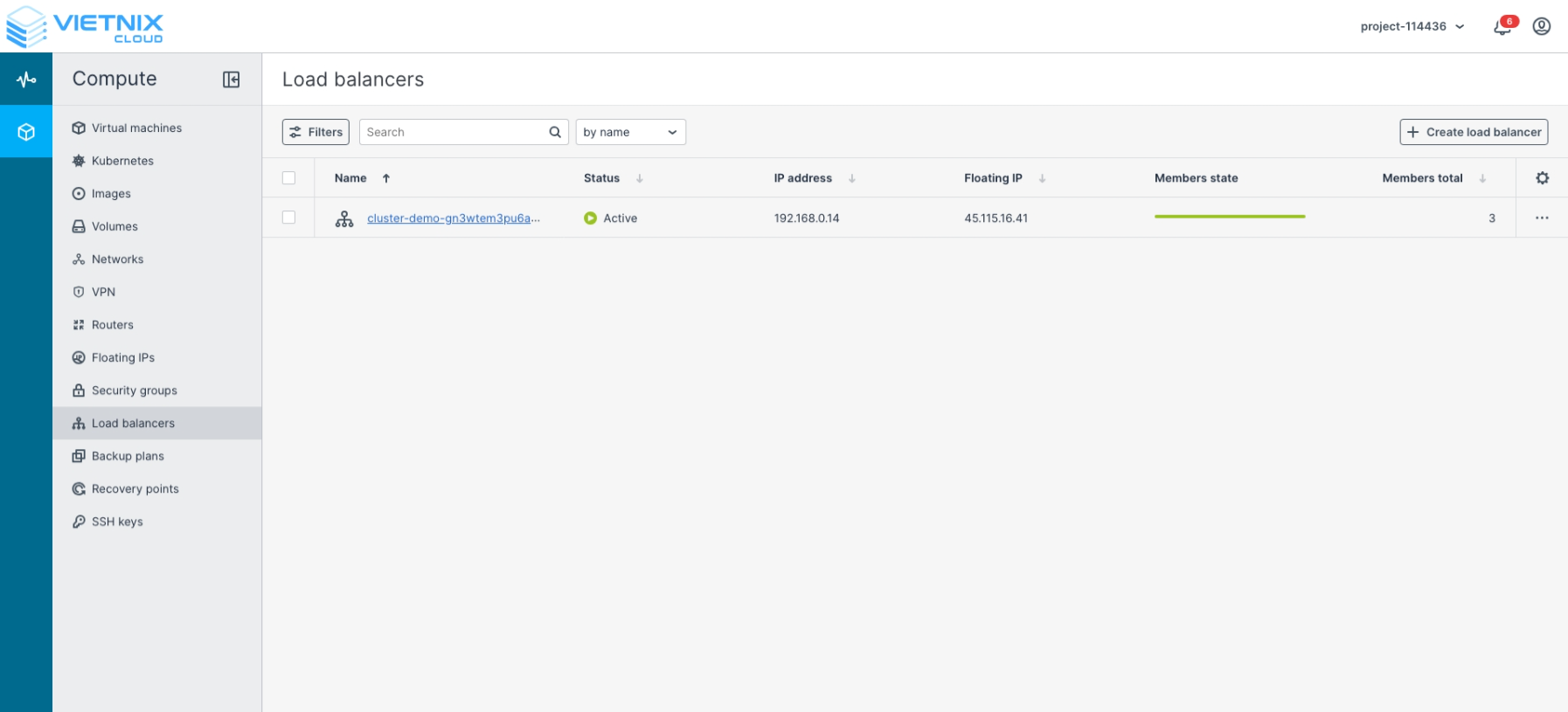
-
A load balancer is provisioned to distribute traffic across master nodes if High Availability was enabled during setup.
Best Practices for Managing Cluster Components
To ensure stability, security, and operational efficiency, follow these best practices when managing cluster resources:
Virtual Machines
- Avoid direct SSH access to nodes; prefer using
kubectlor API-based management. - Regularly update VM images to patch OS-level vulnerabilities.
- Use labels and annotations for easier node identification.
Volumes
- Monitor volume utilization to avoid pod scheduling failures due to lack of storage.
- Use persistent volumes (PV/PVC) for workloads requiring reliable data storage.
- Schedule periodic snapshots or backups of container volumes.
Floating IPs
- Minimize public exposure by selecting For Kubernetes API only unless node-level access is required.
- Restrict access to floating IPs with firewall rules or security groups.
- Rotate SSH keys regularly if node access is enabled.
Security Groups
- Review and audit inbound/outbound rules periodically.
- Apply the principle of least privilege: only allow necessary ports (e.g.,
6443for Kubernetes API). - Use network policies inside Kubernetes for pod-level traffic segmentation.
Load Balancers
- Monitor load balancer health checks to ensure master nodes are reachable.
- Configure DNS records to point to the load balancer IP for API server access.
- In production, always enable High Availability with multiple masters behind the load balancer.
✅ By following these practices, you can maintain a secure, resilient, and well-structured Kubernetes cluster environment in Vietnix Cloud.