Assign Security Group
Before You Start
Before assigning a Security Group to your resources, ensure you have:
- Created a Security Group with the necessary rules.
- Identified the resource (e.g., Virtual Machine, Load Balancer) you want to assign the Security Group to.
Steps to Assign a Security Group to Virtual Machines
- Log in to the Vietnix Cloud Console: Access your Vietnix Cloud account and navigate to the Cloud Console.
- Select the Resource: In the Cloud Console, locate the resource (e.g., Virtual Machine) you want to assign the Security Group to.
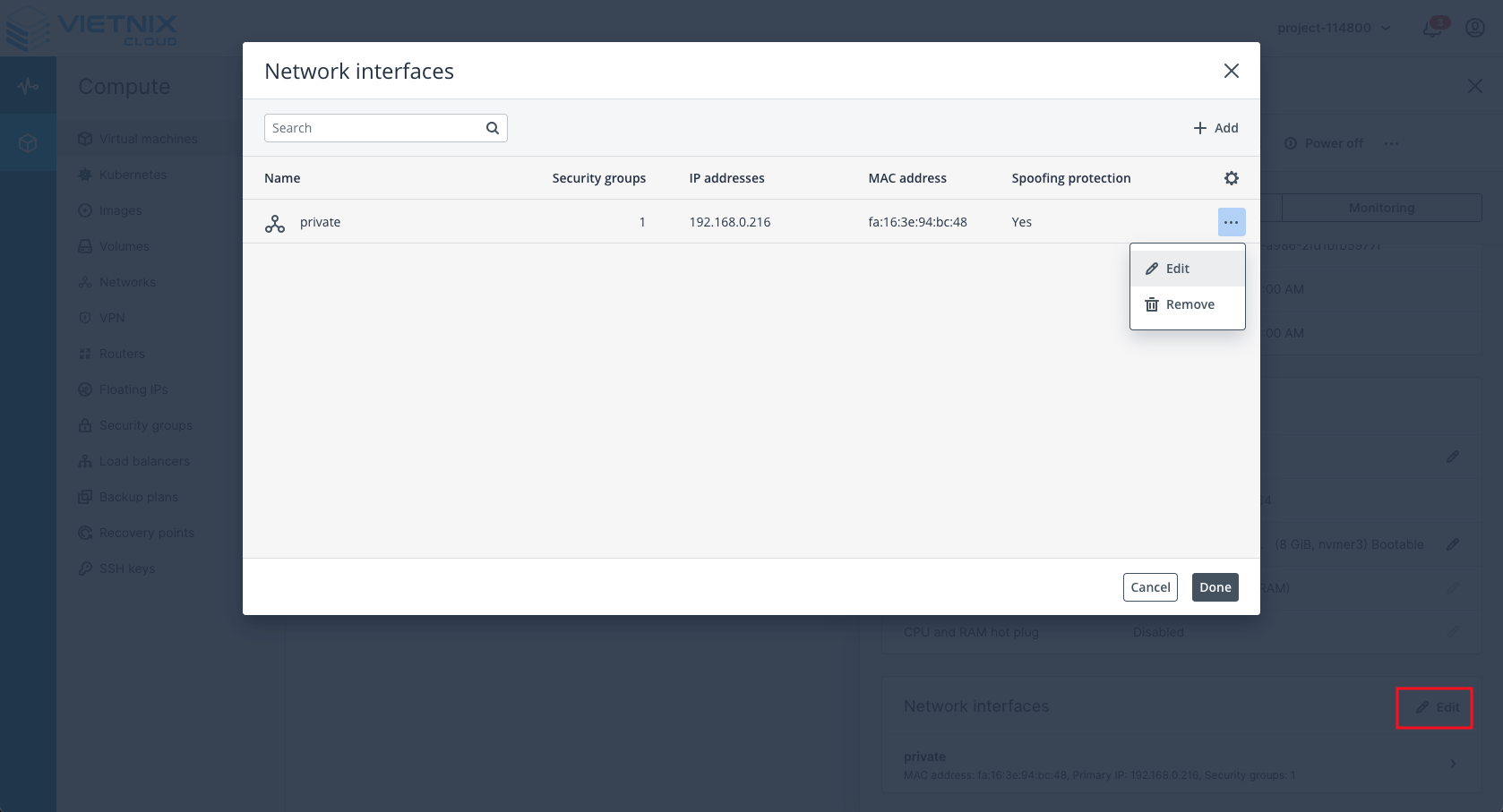
info
Note: Security Groups can be assigned to Network Interfaces (NIC). A VM can have multiple NICs, and each NIC can have different Security Groups assigned.
- Assign the Security Group: In the Security Group settings, select the Security Group you created earlier from the list.
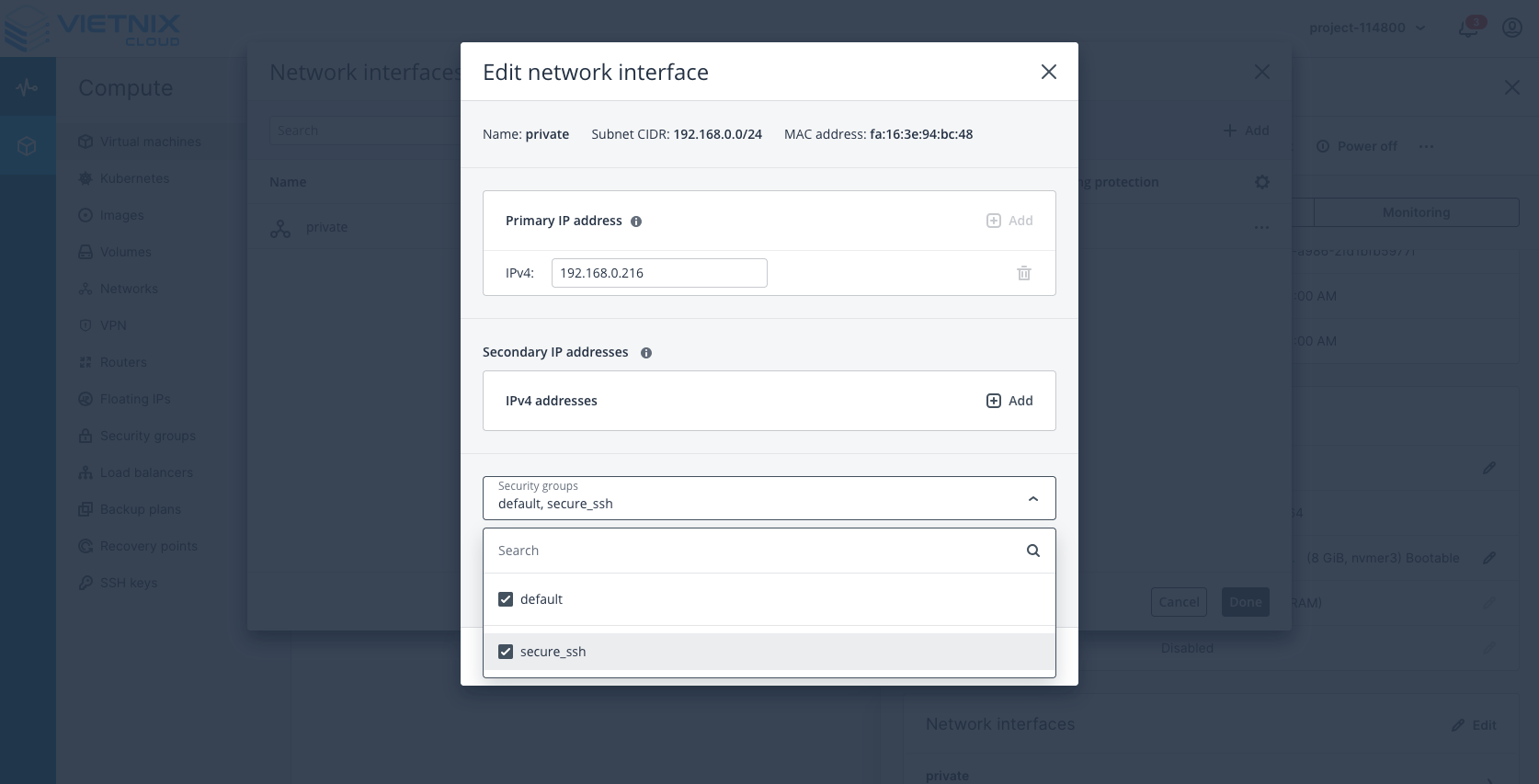
- Save Changes: After assigning the Security Group, make sure to save your changes.
- Verify the Assignment: Check the resource details to confirm that the Security Group has been successfully assigned.