Create VM
The Create Virtual Machine function allows you to launch new virtual machines on the Vietnix Cloud platform with customizable configurations based on your requirements.
Pre-Creation Planning
- An active Vietnix Cloud account
- A project with sufficient resources
- A virtual network with sufficient IP addresses
- A virtual router with sufficient NAT rules
- A virtual machine with sufficient resources
Steps to Create Virtual Machine
-
Login to Vietnix Cloud Dashboard
-
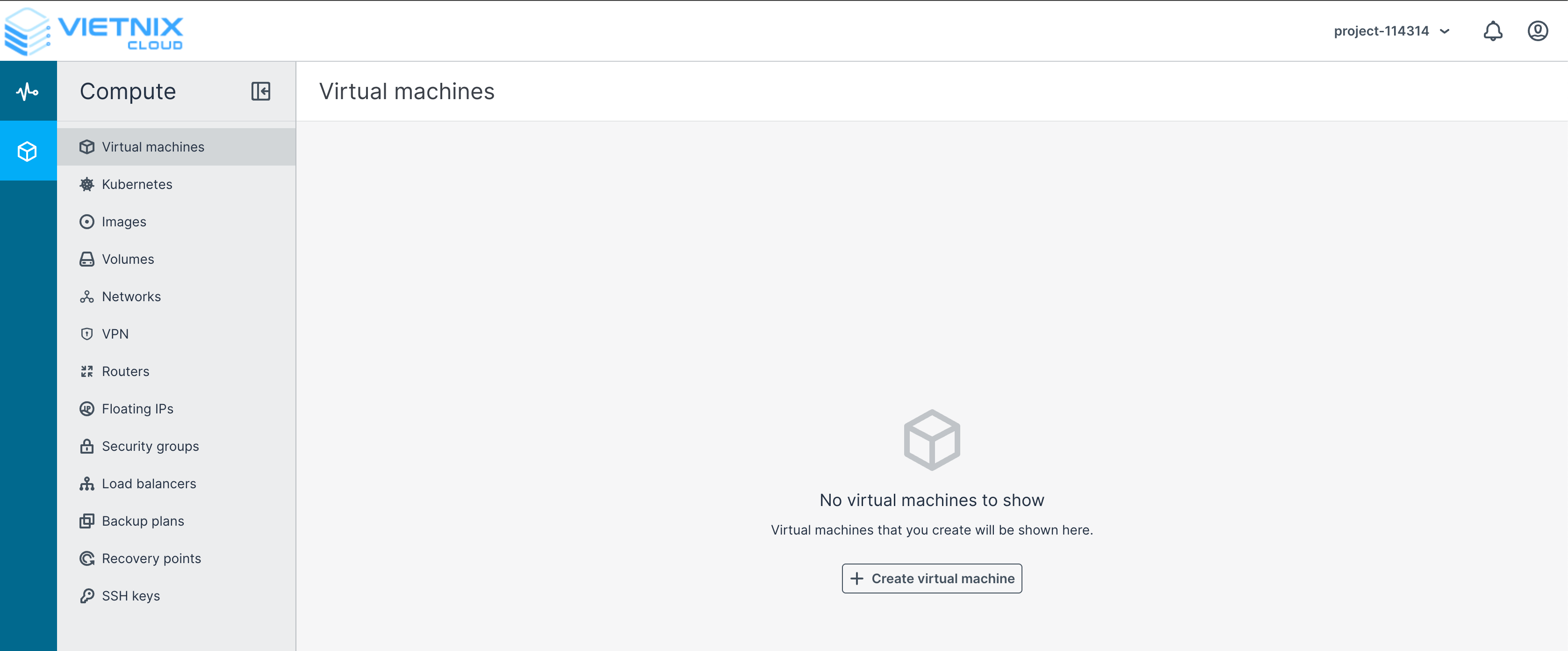
Navigate to Compute > Virtual Machines
-
Click Create Virtual Machine
-
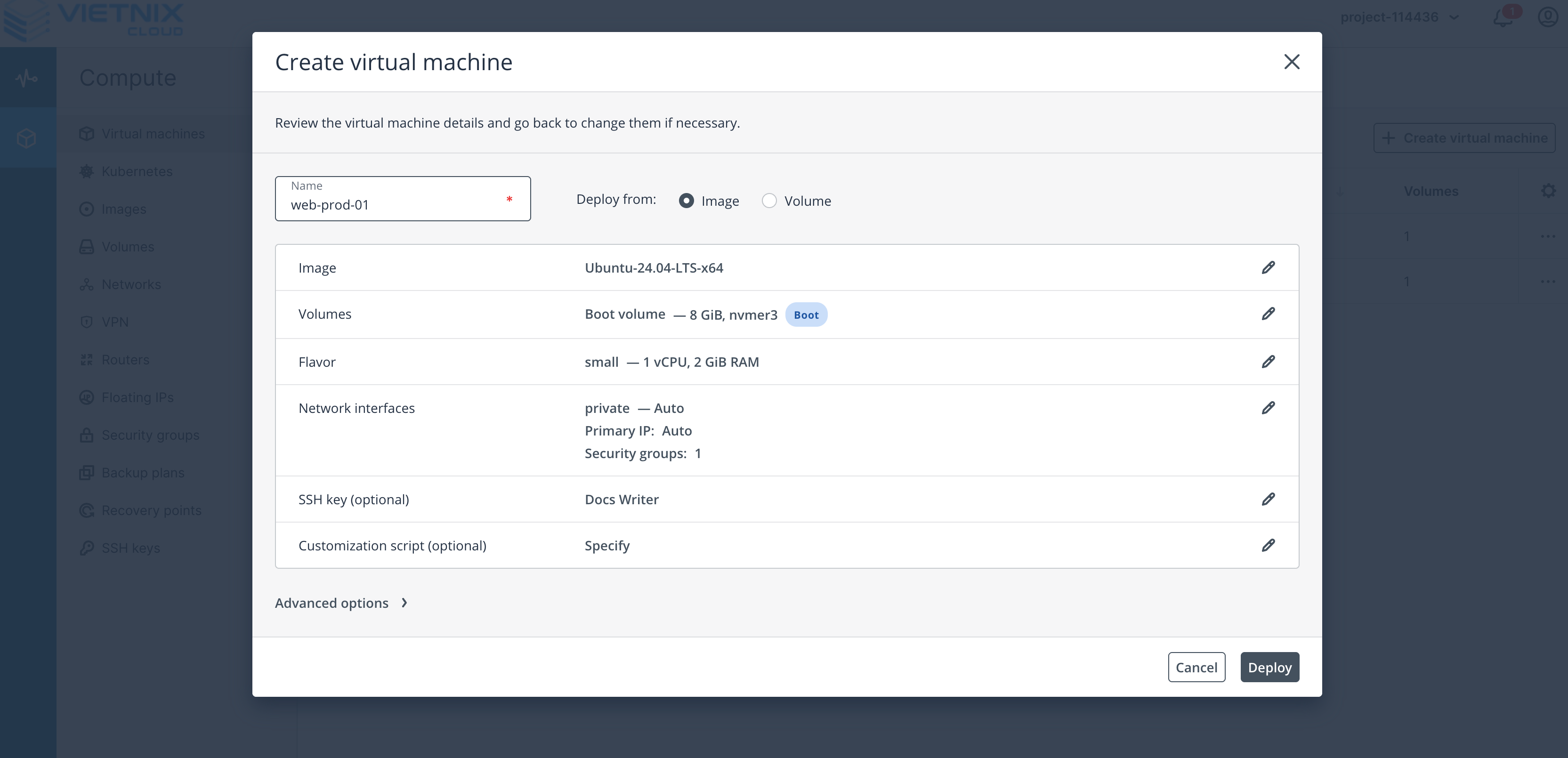
Configure the virtual machine according to your requirements
-
Name: Enter a name for the virtual machine
-
Deploy from: Select the deployment method (Image or Volume)
-
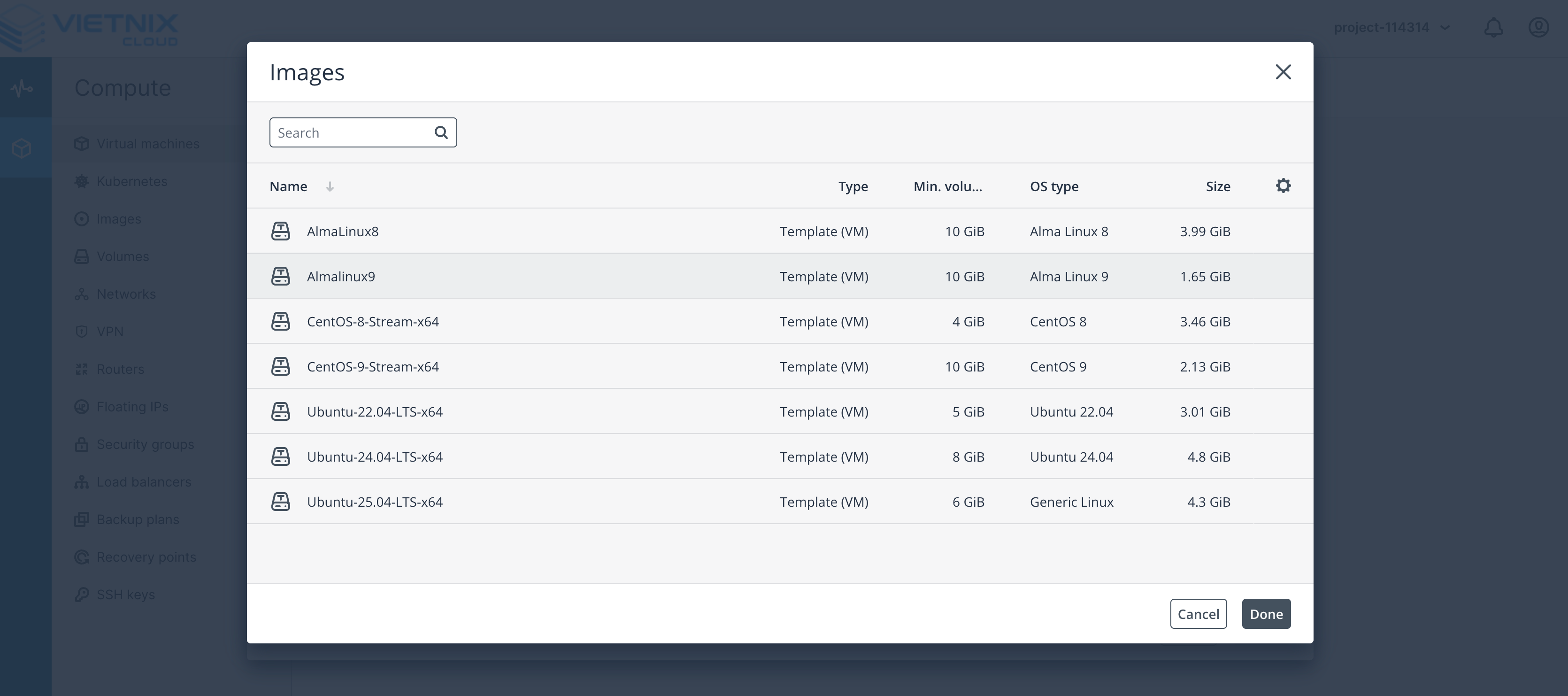
Image: Select the image for the virtual machine
-
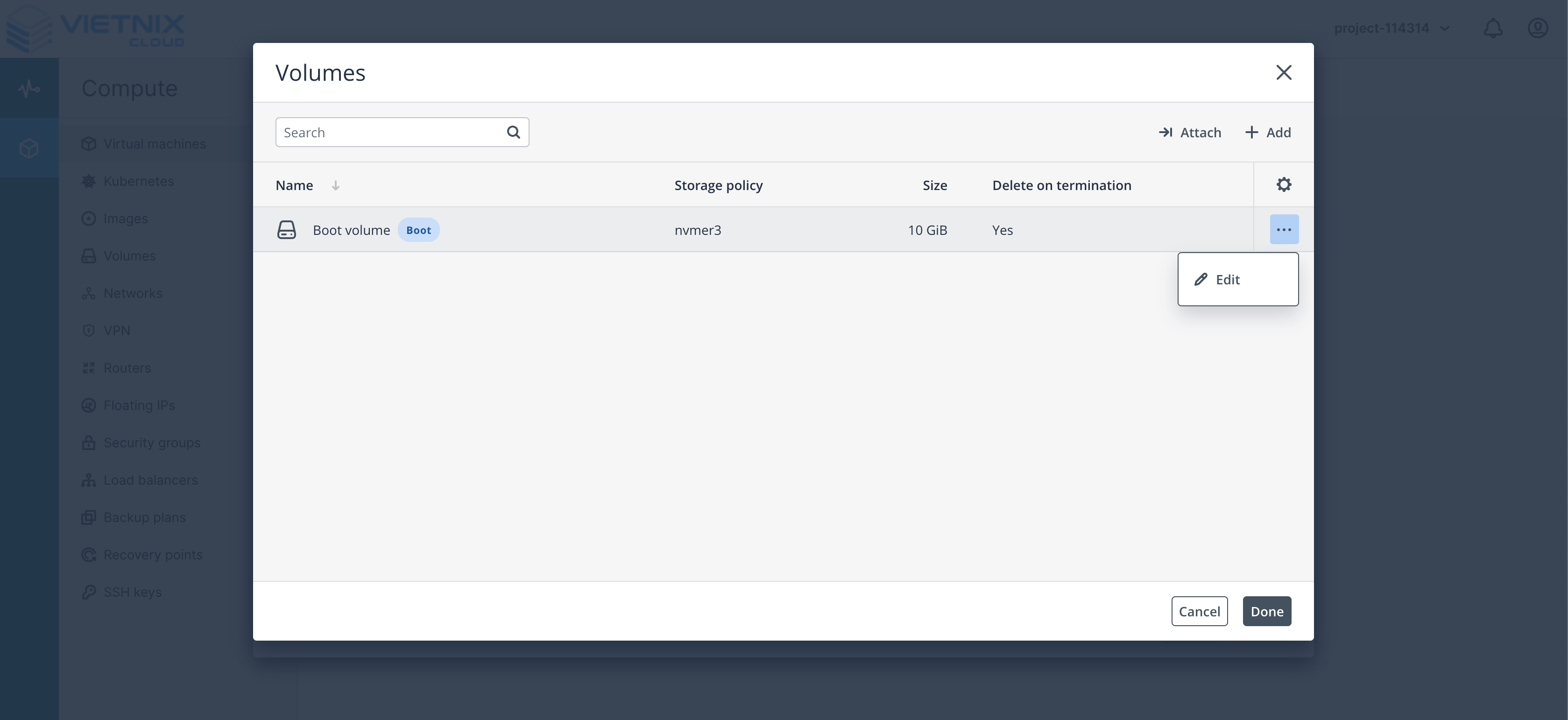
Volume (Optional): When deploying from image, the boot volume will be created from the image. You can edit the volume size.
-
Flavor: Select the flavor for the virtual machine
-
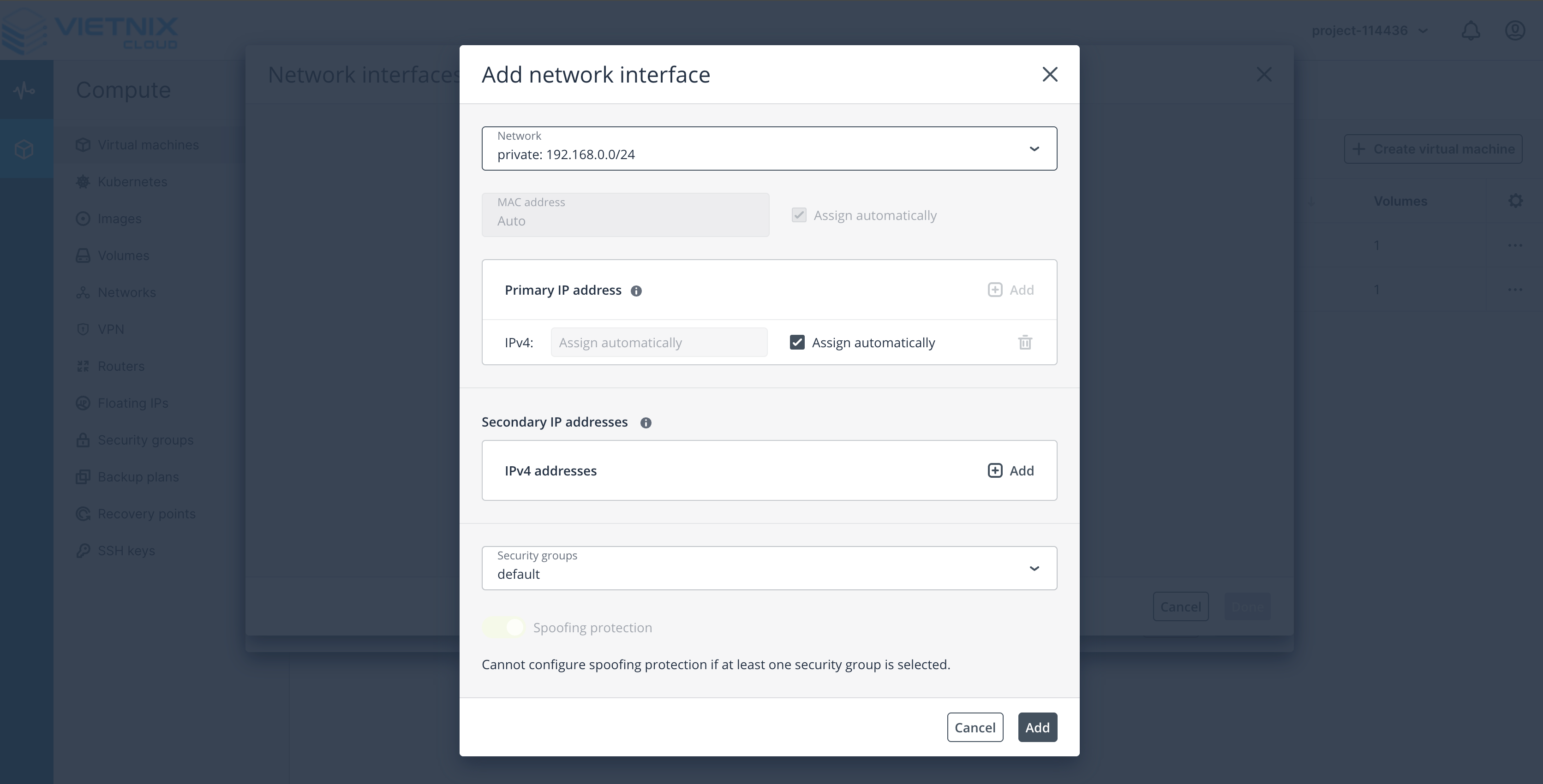
Network: Select the network for the virtual machine. This will be the Virtual Network that you created in the previous step.
-
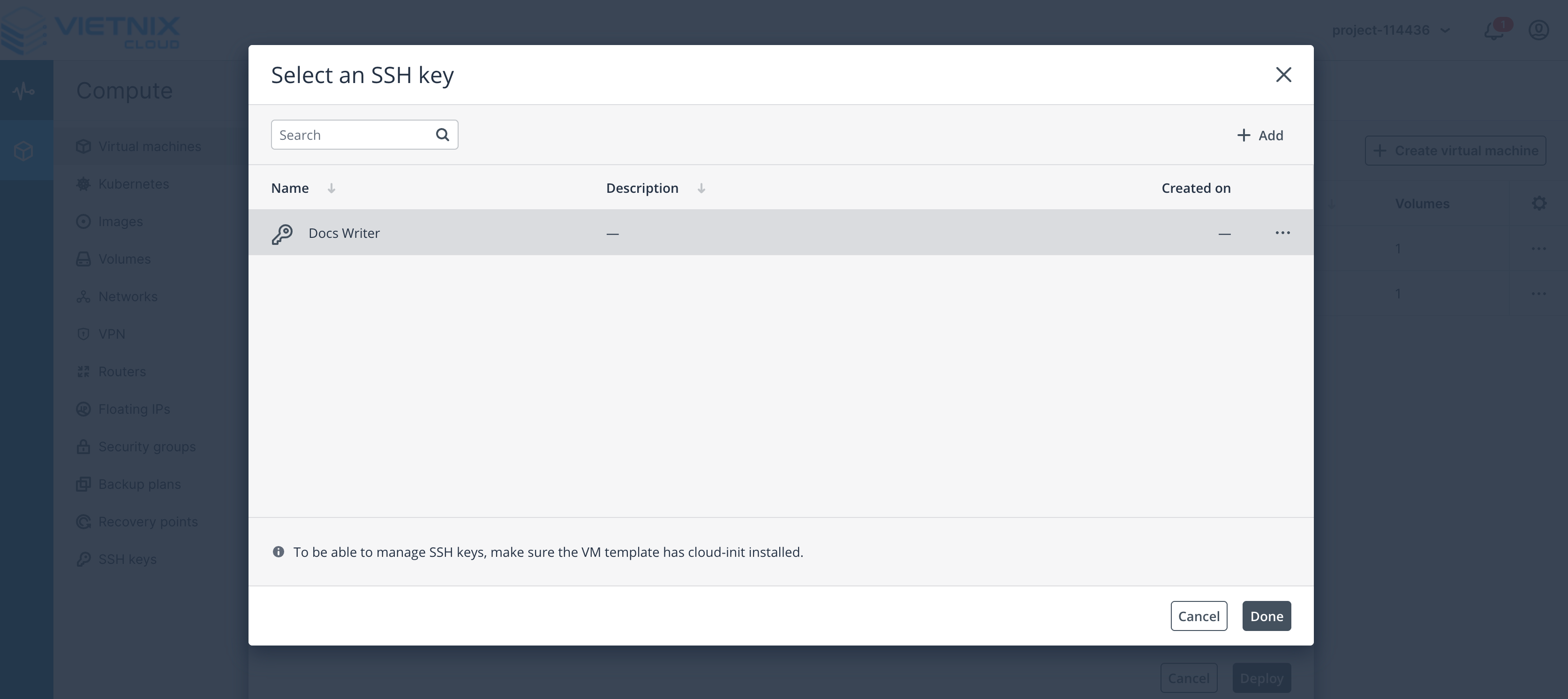
SSH Key: Select the SSH key for the virtual machine. You can add SSH Key before, this step is required for SSH access.
-
-
Summary: Review the configuration and click Create Virtual Machine
-
Click Deploy to create the virtual machine
- Click Create Virtual Machine
- Monitor the progress of the virtual machine creation
- Once the virtual machine is created, you can access it from the Virtual Machines page
VM Naming Best Practices
- Use lowercase letters, numbers, and hyphens.
- Start with a letter.
- End with a letter or number.
- Keep it short and descriptive.
- Avoid special characters.
- Avoid spaces.
- Avoid using the same name for multiple virtual machines.
Example:
web-server-1app-prod-1db-backup-server
Avoid:
WebServer1app_prod_1DB Backup Serverweb-server-1-backupapp-prod-1-backupdb-backup-server-backup
VM OS Selection Guidelines
| Operating System | Recommended Version | Best For | Key Features |
|---|---|---|---|
| Ubuntu | 24.04 LTS (Noble) | Web servers, development environments, general applications | Long-term support (5+ years), large community, frequent updates, optimized for cloud/S3 |
| AlmaLinux | 9.4 | Enterprise servers, stability-critical applications | CentOS replacement, RHEL-compatible, robust for S3 backend, long-term support |
| Debian | 12 (Bookworm) | Web servers, stability-focused applications | Lightweight, stable, ideal for Proxmox nodes, minimal resource usage |
| Rocky Linux | 9.4 | Enterprise servers, high-performance computing | RHEL-compatible, community-driven, optimized for server stability and S3 |
| Fedora Server | 40 | Testing, cutting-edge applications | Latest features, short release cycle, good for dev/test S3/Proxmox environments |
Flavor Selection Guidelines
| vCPU | RAM | Name | Best For |
|---|---|---|---|
| 1 | 1 | small.1c.1g | Light web apps, development environment, container |
| 1 | 2 | small.1c.2g | Basic web application, test machine |
| 1 | 4 | small.1c.4g | Small web host, light game server |
| 2 | 2 | medium.2c.2g | Medium web apps, tasks requiring balanced CPU/RAM |
| 2 | 4 | medium.2c.4g | Medium web host, management system |
| 2 | 8 | medium.2c.8g | Small database, applications requiring a lot of RAM |
| 4 | 4 | large.4c.4g | Large web server, moderate compute tasks |
| 4 | 8 | large.4c.8g | Game server, high traffic website |
| 4 | 16 | large.4c.16g | Database, caching server, data analytics platform |
| 8 | 8 | xlarge.8c.8g | Enterprise applications, production system |
| 8 | 16 | xlarge.8c.16g | Server ERP/CRM, Virtualization |
| 8 | 32 | xlarge.8c.32g | Database clusters, big data, spec |
| 16 | 32 | 2xlarge.16c.32g | E-commerce platforms, AI/ML inference workloads |
| 16 | 64 | 2xlarge.16c.64g | Big data analytics, high-performance server |
| 32 | 128 | 4xlarge.32c.128g | Very large database servers, streaming services |
| 64 | 128 | 8xlarge.64c.128g | Core infrastructure services, virtual supercomputer workloads |