Manage SSH Key
An SSH Key is a pair of keys, consisting of a public key and a private key, used for secure authentication when connecting to servers via SSH. By adding the public key to the Cloud, you can securely access Virtual Machines or Load Balancers without a password, while ensuring that only those possessing the private key can log in. This enhances security and prevents unauthorized access.
Requirements
- Your machine already has an SSH Key pair (public & private).
- If you do not have one, you can follow this guide to create an SSH Key: Generate SSH Key on Vietnix
- Public key format: OpenSSH (typically
id_rsa.pub)
Add SSh key in Vietnix Cloud
-
Login to Vietnix Cloud Dashboard
-
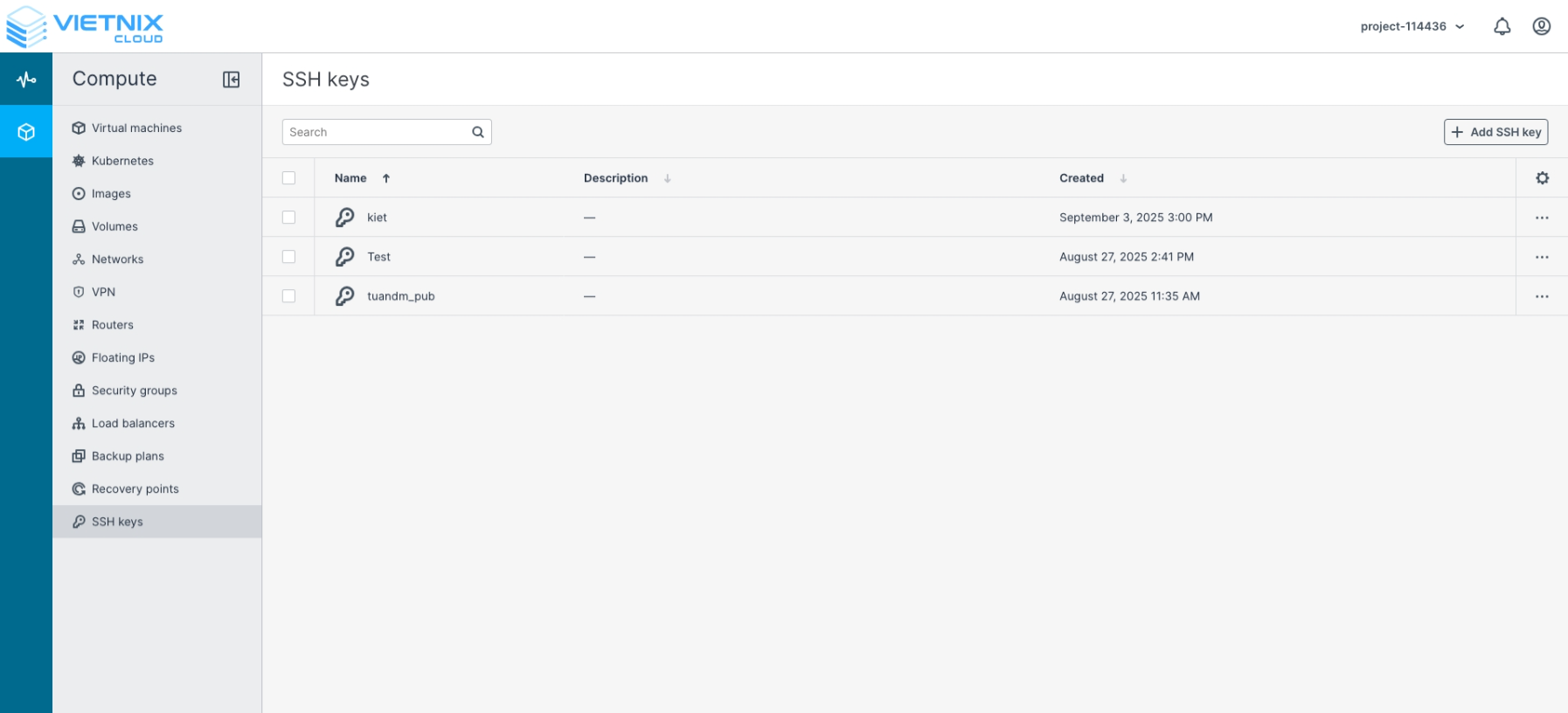
Navigate to SSH keys
-
Click **Add SSH Key **
-
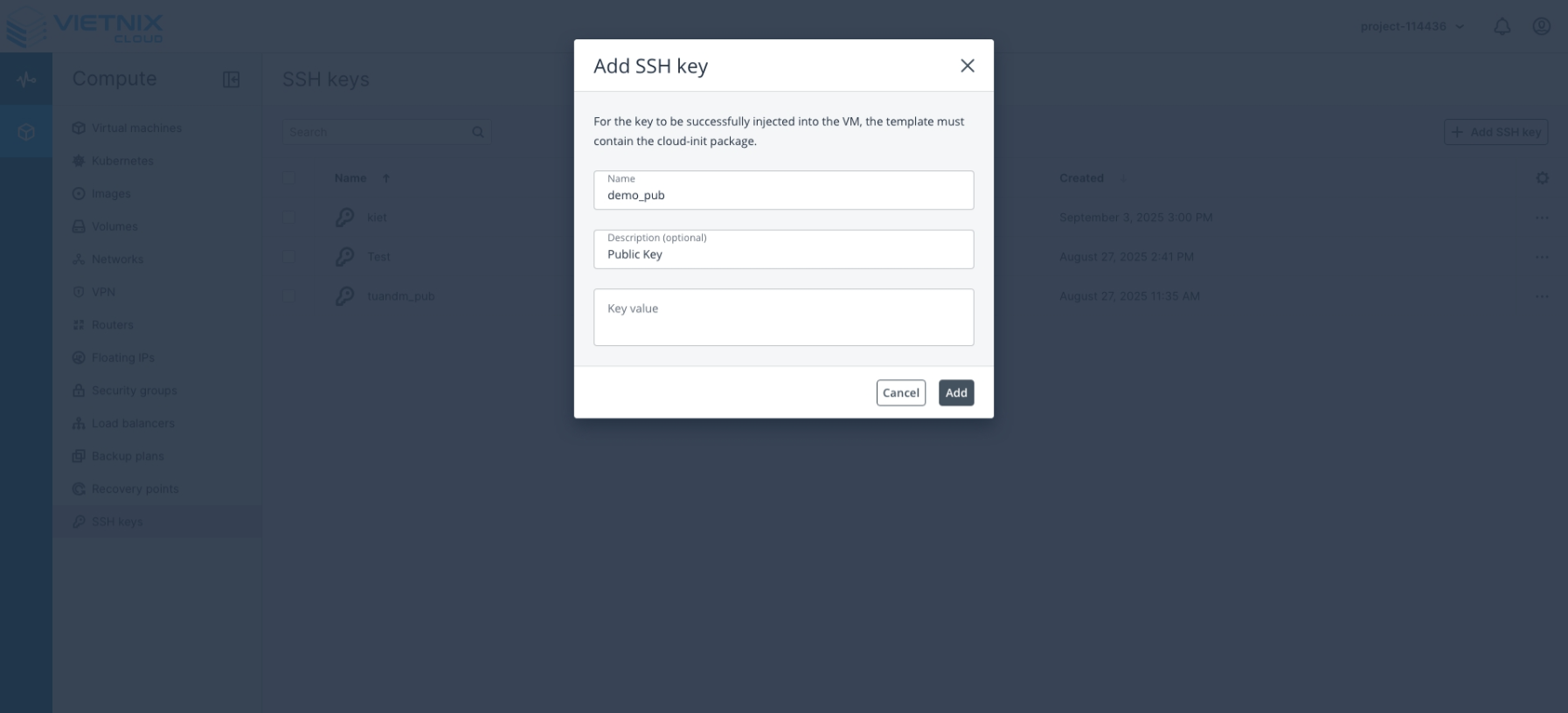
Enter the following information:
- Name : The name used to identify the key
- Description (Optional): A brief description of the key
- Key Value: Paste the public key (usually id_rsa.pub or any .pub file)
-
Click Add to apply key
Remove an SSH Key
-
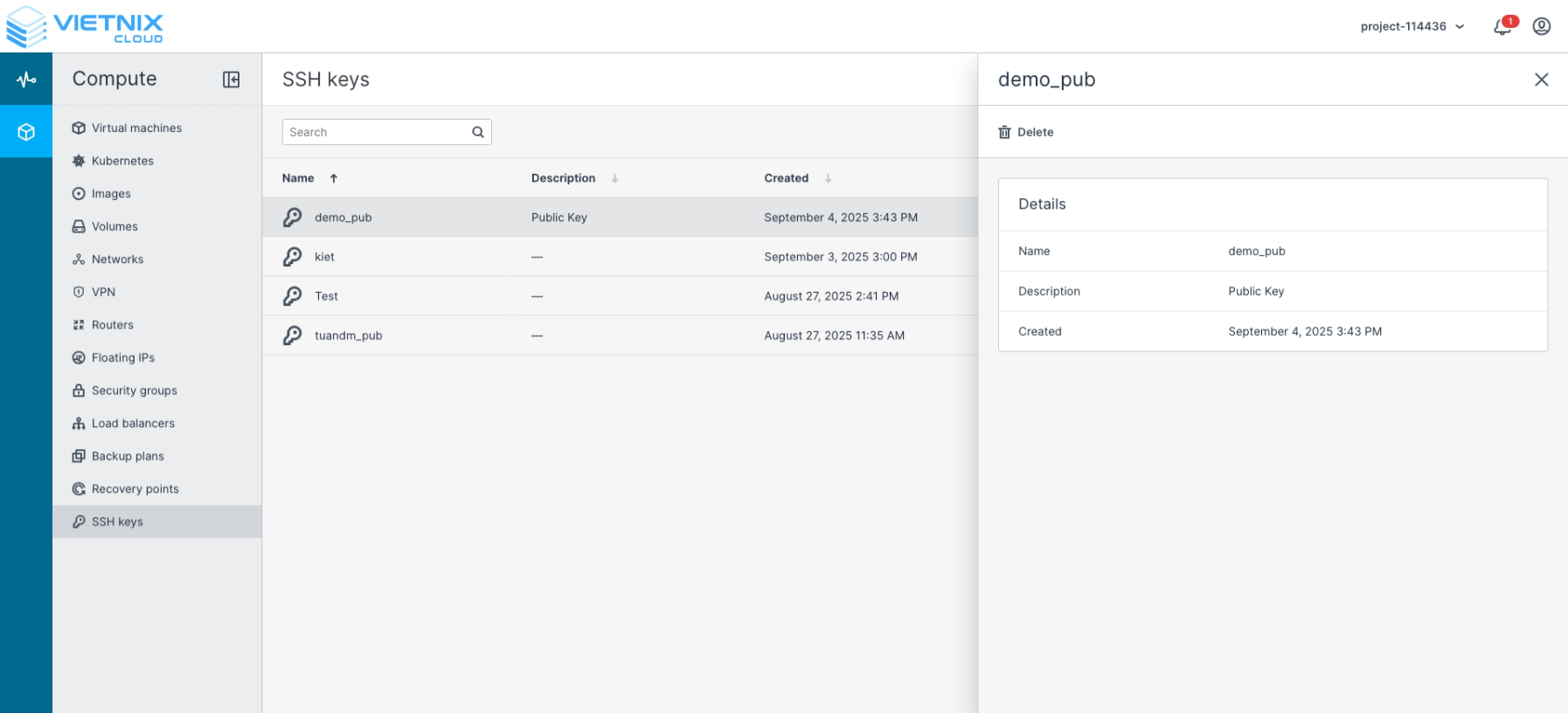
Select the key you want to delete
-
Click Delete
-
Confirm the deletion to remove the key from the system
Best Practices
- Keep your private key secure; never share it.
- Only add trusted public keys to your account.
- Regularly review and remove unused SSH Keys.
- Use descriptive names for keys to easily identify them later.