Create Virtual Router
Virtual Router provides routing service from your virtual network to physical network. By that way, your instances in private subnet can access to internet.
important
You need to create at least one virtual network in your account before creating a virtual router.
Create Virtual Router
To create a virtual router, follow these steps:
- Navigate to Routers in the left sidebar.
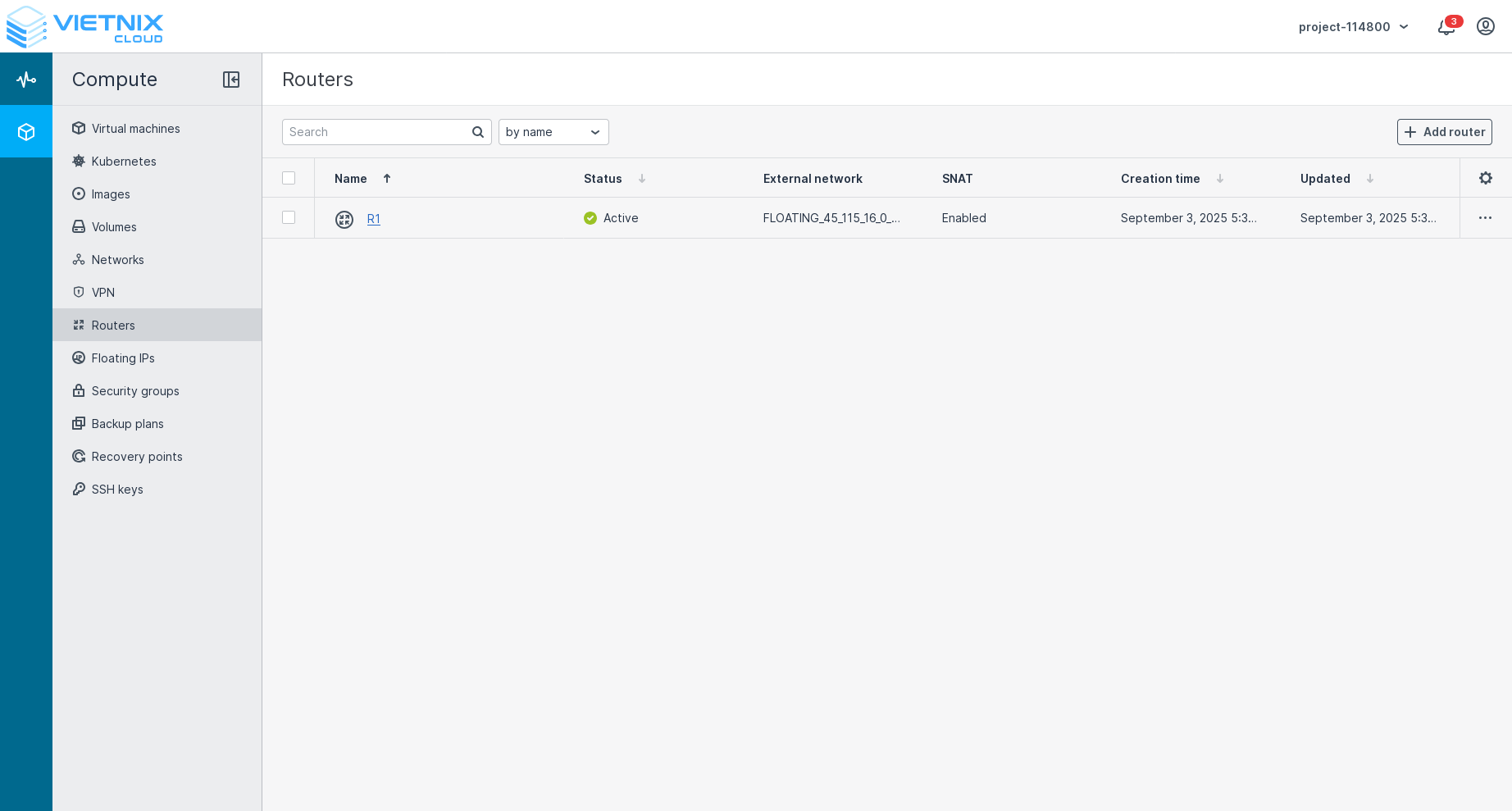
- Click on the Add Router button.
- Fill in the required details in the Create Virtual Router form:
a. Name: Enter a name for your virtual router.
b. Physical Network: Select the physical network that you want to attach to this virtual router.
c. Virtual Network: Select the virtual network that you want to attach to this virtual router.
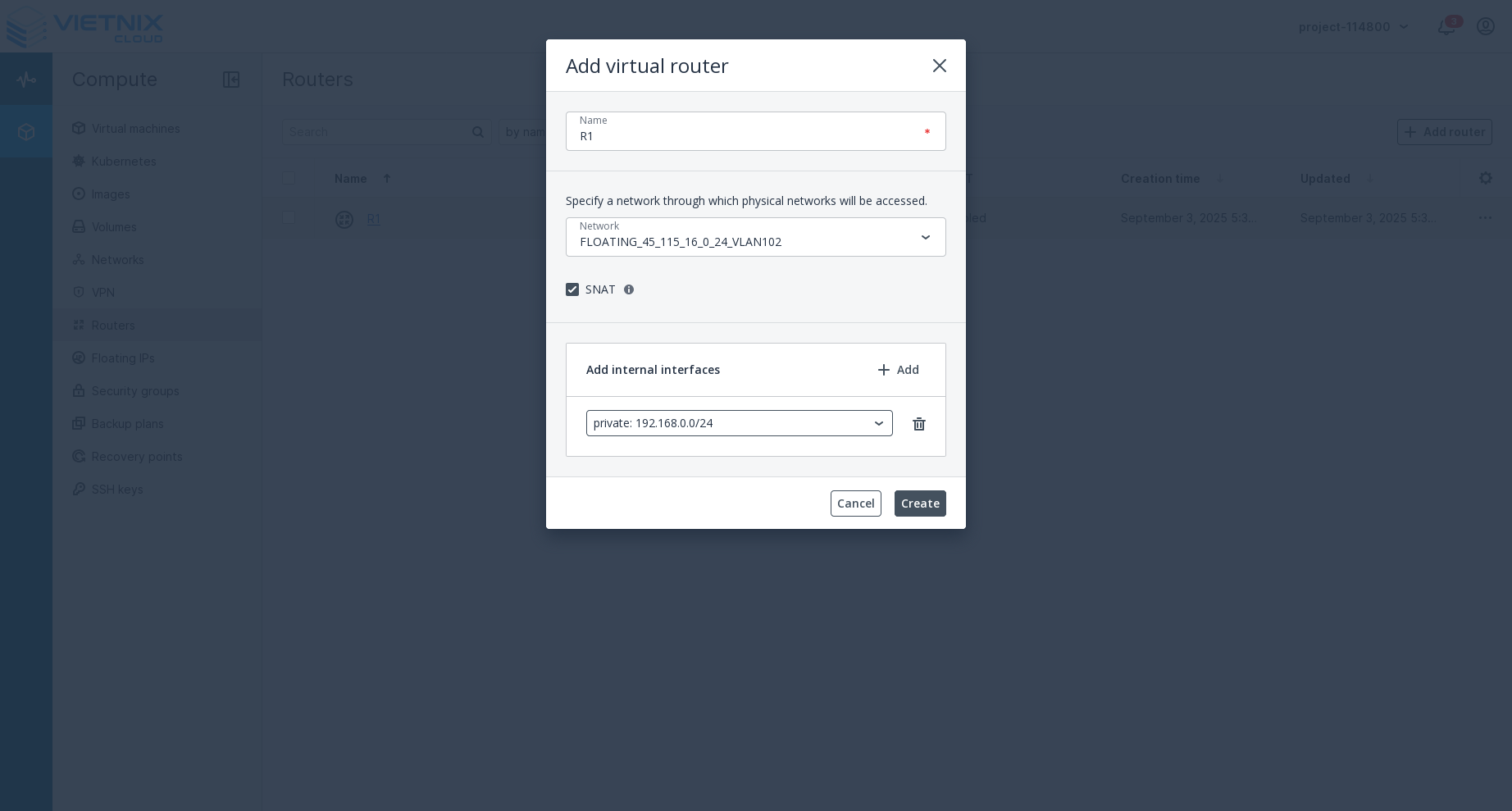
- Click Create to finalize the creation of your virtual router.
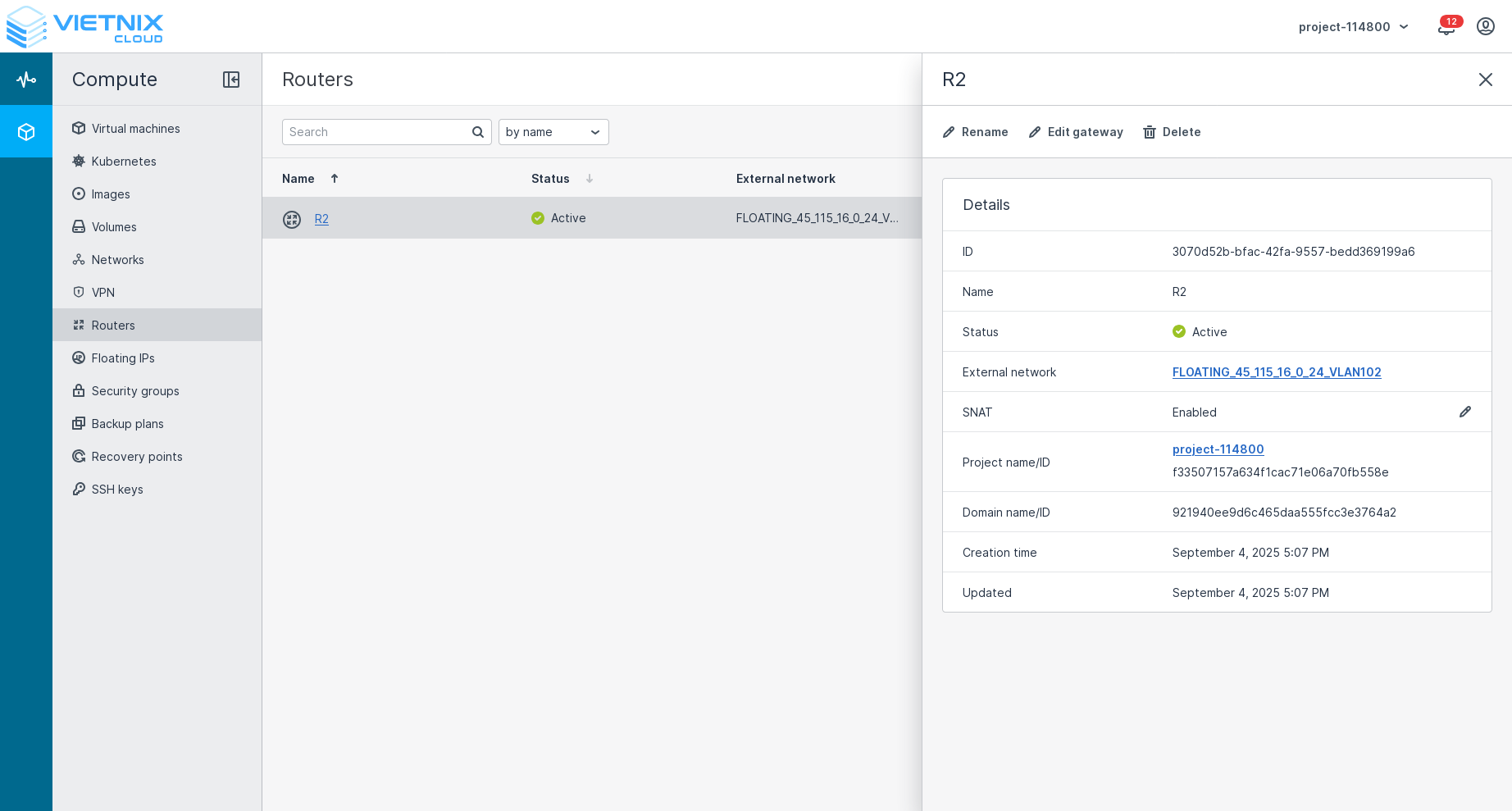
- After creation, you can click to view details of the virtual router.
Next Steps
- Floating IP - Learn how to manage Floating IP in Vietnix Cloud
- Attach Network - Learn how to Attach Network in Vietnix Cloud
- Detach Network - Learn how to Detach Network in Vietnix Cloud